





















































































































Annapurna
Cho Oyu
K2
Kangchenjunga
Lhotse
Dhaulagiri
Makalu
Manaslu
Mount Everest
Nanga Parbat
Black Hole
Sagittarius A*
M87*
TON 618
Cygnus X-1
Earth
Moon
Mercury
Venus
Mars
Jupiter
Saturn
Uranus
Neptune
Sun
Sirius A
Betelgeuse
Rigel
Antares
Vega
Polaris
Proxima Centauri
Arcturus
Aldebaran
Deneb
Milky Way
Andromeda Galaxy
Triangulum Galaxy
Whirlpool Galaxy
Sombrero Galaxy
Pinwheel Galaxy
Cigar Galaxy
Centaurus A
Universe (observable)
Orion Nebula
Eagle Nebula
Crab Nebula
Ring Nebula
Helix Nebula
Carina Nebula
Halley's Comet
African Elephant
Alpaca
Allosaurus
Armadillo
Ankylosaurus
Ant
Asian Elephant
Chicken
Blue Whale
Apatosaurus
Argentinosaurus
Bald Eagle
Beaver
Bison
Brachiosaurus
Brontosaurus
Camel
Capybara
Carnotaurus
Carcharodontosaurus
Southern Cassowary
Aye-Aye
Axolotl
Box Jellyfish
California Condor
Goliath Tigerfish
Great White Shark
Horned Screamer
Kiwi Bird
Komodo Dragon
Loon
Lyrebird
Red-tailed Hawk
Saiga Antelope
Shark
Shoebill Stork
Southern Elephant Seal
Brazilian Wandering Spider
Willow Ptarmigan
Cat
Cheetah
Chimpanzee
Deinonychus
Dilophosaurus
Diplodocus
Tallest Dog
Duck
Golden Eagle
Elk
Emu
Emperor Penguin
Flamingo
Flemish Rabbit
Red Fox
Gaur
Giganotosaurus
Giraffe
Gorilla
Giraffatitan
Green Iguana
Green Anaconda
Great Blue Heron
Hippo
Horse
Hyena
Iguana
Iguanodon
Jaguar
Kangaroo
King Cobra
Koala
Leopard
Lion
Mammoth
Megalodon
Meerkat
Mosasaurus
Moose
Ostrich
Orangutan
Otter
Parasaurolophus
Patagotitan
Peacock
Plesiosaurus
Pig
Polar Bear
Pteranodon
Reindeer
Rhino
Salamander
Sauroposeidon
Secretary Bird
Sloth
Spinosaurus
Stegosaurus
Tallest Steer
Mute Swan
Tiger
Titanoboa
Tyrannosaurus Rex
Triceratops
Galápagos Tortoise
Wild Turkey
Utahraptor
Velociraptor
Warthog
Wild Boar
Zebra
Introduction to NGFINITY
NGFINITY is an interactive height comparison tool built to make size and scale easier to understand. Instead of looking at a list of measurements and trying to imagine what those numbers actually mean, NGFINITY turns them into something you can see. People, public figures, anime characters, animals, famous mountains, and astronomical objects can be placed together on a shared visual scale, giving you a much clearer sense of how large or small they really are.
The idea behind NGFINITY is simple: numbers are useful, but visual comparisons often tell the story better. Knowing that someone is 180 centimeters tall gives you a measurement, while seeing them standing beside a creator who is 165 or 200 centimeters immediately shows the difference. The same principle becomes even more useful when the comparison involves things such as wild animals, fictional icons, massive mountain peaks, or celestial bodies across the universe.
You can use NGFINITY for something as straightforward as comparing your height with a friend, or take it much further by placing a custom character beside a popular creator, an anime character, a giraffe, Mount Everest, or even an astronomical object. The purpose is not to make every comparison scientifically complicated. It is to make scale understandable, accessible, and interesting.
Whether you are using the tool for education, a presentation, a creative project, personal curiosity, or simply because humans have an apparently unlimited need to know how tall everything is, NGFINITY provides a simple way to explore those differences visually.
What Is NGFINITY?
NGFINITY is a free, browser-based height comparison tool built around a single shared visual scale. Instead of treating measurements as separate numbers, NGFINITY lets you place people, public figures, animals, mountains, and astronomical objects on the same canvas so you can see exactly how their heights relate to one another.
The tool is not limited to comparing two entities at a time. You can build an entire lineup by combining categories freely, such as a custom character next to a favorite creator, an animal beside a mountain peak, or a human figure set against the scale of a planet or galaxy. Everything you add stays on the canvas until you remove it or start over, so a comparison can grow as large and varied as you need.
NGFINITY is built for anyone who wants a clearer, visual sense of scale. This includes students working on a size-related project, teachers preparing a classroom demonstration, artists building character references, and anyone simply curious how their height compares with a well-known figure or an animal. No specialized knowledge is required, since each category works on the same simple pattern of choosing an option, entering a value, and adding it to the canvas.
NGFINITY runs entirely in the browser and does not require an account, a download, or a payment to use any of the tools currently available on the site. Your preferred measurement unit and display theme are remembered automatically, so the site is ready to use the same way the next time you return.
The sections below walk through how to use each part of NGFINITY, list every feature currently available, and answer the questions that come up most often about how the tool works.
How to Use NGFINITY
Every comparison on NGFINITY starts from the same set of controls. Five categories are available from the main navigation, Add Person, Celebrity, Animal, Entity, and Custom Image, and each one shows only the fields relevant to that type of entity. Fill in the details, add the entity to the canvas, and repeat as many times as you like. Nothing already on the canvas is removed when you add something new.
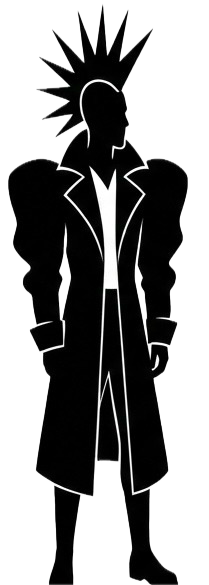
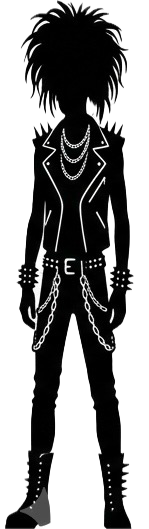
Add Person: Choose this category to build a custom character. Give it an optional name, select Male or Female, and pick a specific look from the avatar grid that appears. Enter a height in centimeters, or switch to US units to enter feet and inches instead, and NGFINITY converts the value automatically. A color outline can also be selected to help tell characters apart once several are on the canvas together.
Celebrity: This category is split into two tabs, Public Figure and Anime Character. Use the search bar to find a specific name, or browse the collection directly. Selecting an entry adds it to the canvas using its recorded height, and it can be combined with any other category on the page.
Animal: Search or browse the animal library and select a species to add it at its predefined size. Familiar species such as elephants, giraffes, lions, and polar bears sit alongside prehistoric animals such as the Tyrannosaurus Rex, Megalodon, and Mammoth, letting you compare a person directly with a modern or extinct creature.
Entity: Switch between the Mountain and Astronomical Object tabs to move far beyond everyday scale, from peaks such as Mount Everest and K2 to planets, stars, and galaxies. Because these entries are dramatically larger than a person, you will usually need to zoom out after adding one so the full shape stays visible on screen.
Custom Image: This category offers two ways to add something outside the built-in libraries. Choose Upload Image to add a picture from your device with an optional name and a height value, or choose Create AI Image to describe a subject in the prompt field, give it a name and a height in centimeters, and select Generate & Add AI Model. NGFINITY generates an image from the description, removes its background automatically, and places it on the canvas at the height you specified.
If you are new to NGFINITY, a simple way to start is to add yourself under Add Person first, then bring in a second entity from any other category to compare against. The steps are the same for every category, so once you have created one comparison, the rest of the tool works the same way.
Once entities are on the canvas, open the adjust panel to view the Lineup Order, where individual figures can be repositioned or deleted without clearing the rest of the comparison. Use Zoom In and Zoom Out to move between a close-up view and a wide view that accommodates larger entities, and use Clear All whenever you want to reset the canvas and start a new comparison. The menu icon in the navigation bar also opens Settings, where zoom speed, measurement units, and light or dark appearance can all be adjusted.
NGFINITY Features
The list below summarizes everything currently available on NGFINITY, grouped by what each feature helps you do.
Comparison Categories
- Add Person — Build a fully custom character with a name, gender-based avatar, exact height, and color outline.
- Celebrity Library — A searchable collection of more than 900 public figures and anime characters, including well-known creators such as MrBeast, PewDiePie, and KSI, split into two dedicated tabs.
- Animal Library — More than 100 species, from common household and wild animals such as elephants and giraffes to prehistoric creatures such as the Tyrannosaurus Rex.
- Entity Library — Ten of the world's tallest mountains and around 40 astronomical objects, including planets, the Sun, stars, black holes, galaxies, nebulae, and comets.
- Custom Image Upload — Add your own image to the canvas with an optional name and a precise height value.
- AI Image Generation — Describe a subject in a text prompt and NGFINITY generates a full-body image, automatically removes its background, and adds it to the canvas at the height you set.
- Cross-category comparisons — Mix people, celebrities, animals, mountains, astronomical objects, and custom images freely within a single lineup.
Customization
- Avatar selection — Choose a specific look for each custom character from the male or female avatar grid.
- Color outlines — Ten color options are available to visually separate characters in a crowded lineup.
- Optional labels — Names can be added to any custom character or uploaded image to keep larger comparisons easy to read.
- Metric and US units — Heights can be entered in centimeters or in feet and inches, with automatic conversion between the two.
Canvas & Navigation Tools
- Shared measurement ruler — Every entity is placed against the same visible scale for a direct, accurate comparison.
- Unlimited lineup — Add as many entities as you like rather than comparing only two at a time.
- Zoom controls — Zoom in for close comparisons or out for mountains and astronomical objects, with an adjustable zoom speed and support for press-and-hold zooming.
- Lineup Order panel — Reorder the canvas or remove a single entity without starting the comparison over.
- Clear All — Reset the canvas instantly without reloading the page.
Settings & Accessibility
- Measurement unit toggle — Switch between Metric and US units; your choice is remembered on your next visit.
- Light and dark themes — Switch the site's appearance, with your preference saved automatically and a sensible default based on your system settings.
- No account required — Every feature currently on NGFINITY is free to use without registering or signing in.
- Cross-device support — The interface and zoom controls are built to work on desktop, tablet, and mobile screens.
Frequently Asked Questions
1. Is NGFINITY free to use?
Yes. Every feature currently available on NGFINITY can be used without creating an account or paying a subscription fee.
2. Do I need an account to create a comparison?
No. You can start building a comparison right away, with nothing to register or sign in to.
3. Can I compare more than two things at once?
Yes. You can add as many people, animals, public figures, or other entities as you like and display them together in a single lineup.
4. What is included in the Entity category?
Entity covers Mountains, including peaks such as Mount Everest and K2, and Astronomical Objects, including planets, stars, black holes, galaxies, and nebulae.
5. Can I generate an image using AI instead of uploading one?
Yes. Inside Custom Image, switch to Create AI Image, describe the subject in the prompt field, set a name and height, and select Generate & Add AI Model. The background is removed automatically before the image is added to the canvas.
6. Does the color outline change an entity's height?
No. A color outline is a visual label only. It makes a character easier to pick out in a crowded lineup and has no effect on the height or position of the entity itself.
7. Why does an astronomical object seem to disappear after I add it?
It is most likely just outside the current view. Use Zoom Out to widen the scale until the object becomes visible again.
8. How do I find a specific public figure or character?
Open the Celebrity category and use the search bar to look up a name directly instead of scrolling through the full list.
9. What does the Clear All button do?
Clear All removes every entity currently on the canvas so you can start a new comparison without reloading the page.
10. Can I remove a single entity without clearing the whole canvas?
Yes. Open the Lineup Order panel, select the entity you want to remove, and delete it while everything else stays in place.
11. Does NGFINITY support US measurements?
Yes. Heights can be entered in feet and inches, and NGFINITY converts the value into the metric system used for the underlying scale.
12. Are the mountain and astronomical measurements exact?
They are close approximations intended for visualization. Real-world mountain elevations vary by sea-level baseline, and several astronomical values represent scientific estimates rather than fixed figures.
13. How accurate are the prehistoric animal sizes?
Prehistoric animals are shown using predefined dimensions based on commonly cited estimates. Actual sizes are difficult to determine with certainty from fossil evidence alone, so these entries should be treated as reasonable visual approximations rather than confirmed measurements.
14. Is NGFINITY usable on a phone or tablet?
Yes. The layout and zoom controls are designed to work across desktop, tablet, and mobile screens.
15. Can NGFINITY be used for classroom or educational purposes?
Yes. The visual, hands-on format works well for classroom demonstrations, presentations, and personal research into relative size, alongside its everyday use for casual comparisons.
16. Is there a limit to how many entities I can add?
There is no fixed limit built into the tool itself. Very large lineups can become harder to read on smaller screens, so it is worth using the Lineup Order panel to keep things organized as a comparison grows.
17. Does NGFINITY store or reuse my uploaded image?
No. An uploaded image is used only to build the comparison you create with it. NGFINITY does not use the image for any other purpose, does not use it to identify you, and does not retain it on external servers.